Navigate to the Administration module.
Within the Surveys section, expand Management and select Pulse.
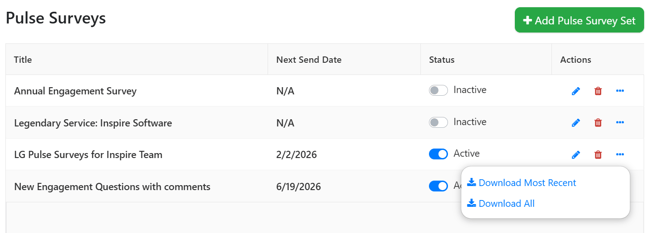
Find the set with results you would like to download in the list of sets, click the .. ellipsis button in the Actions column, then select one of the following options:
-
Download Most Recent: Exports the results from the survey in the set that was last sent.
- Download All: Exports all results for all surveys in the set for the entire duration of the set being active.